Install the BUKU oEmbed Filter plugin
Section outline
-
This is a step-by-step guide to integrate BUKU in your Moodle.
-
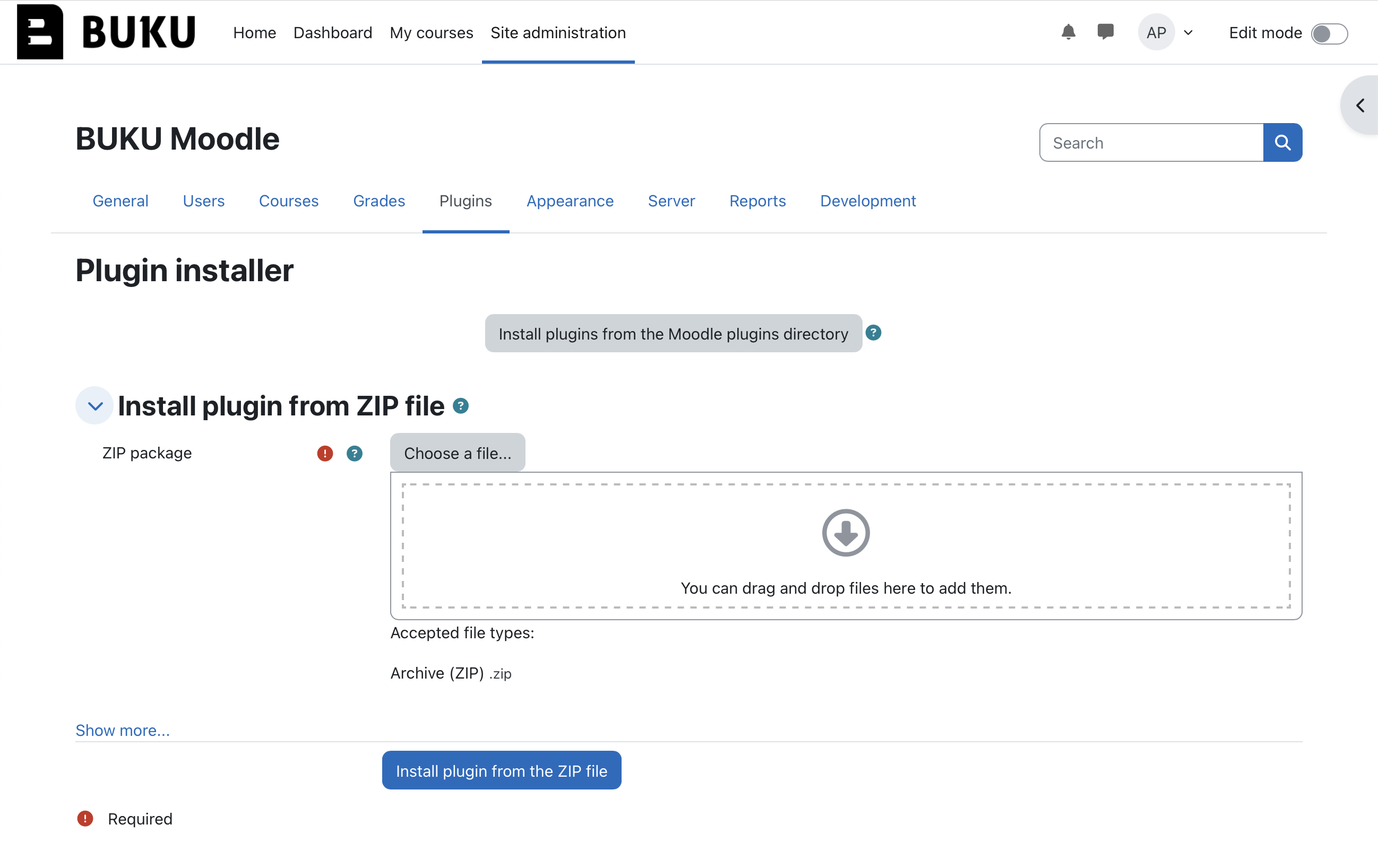
Step 3: Install the Plugin from ZIP
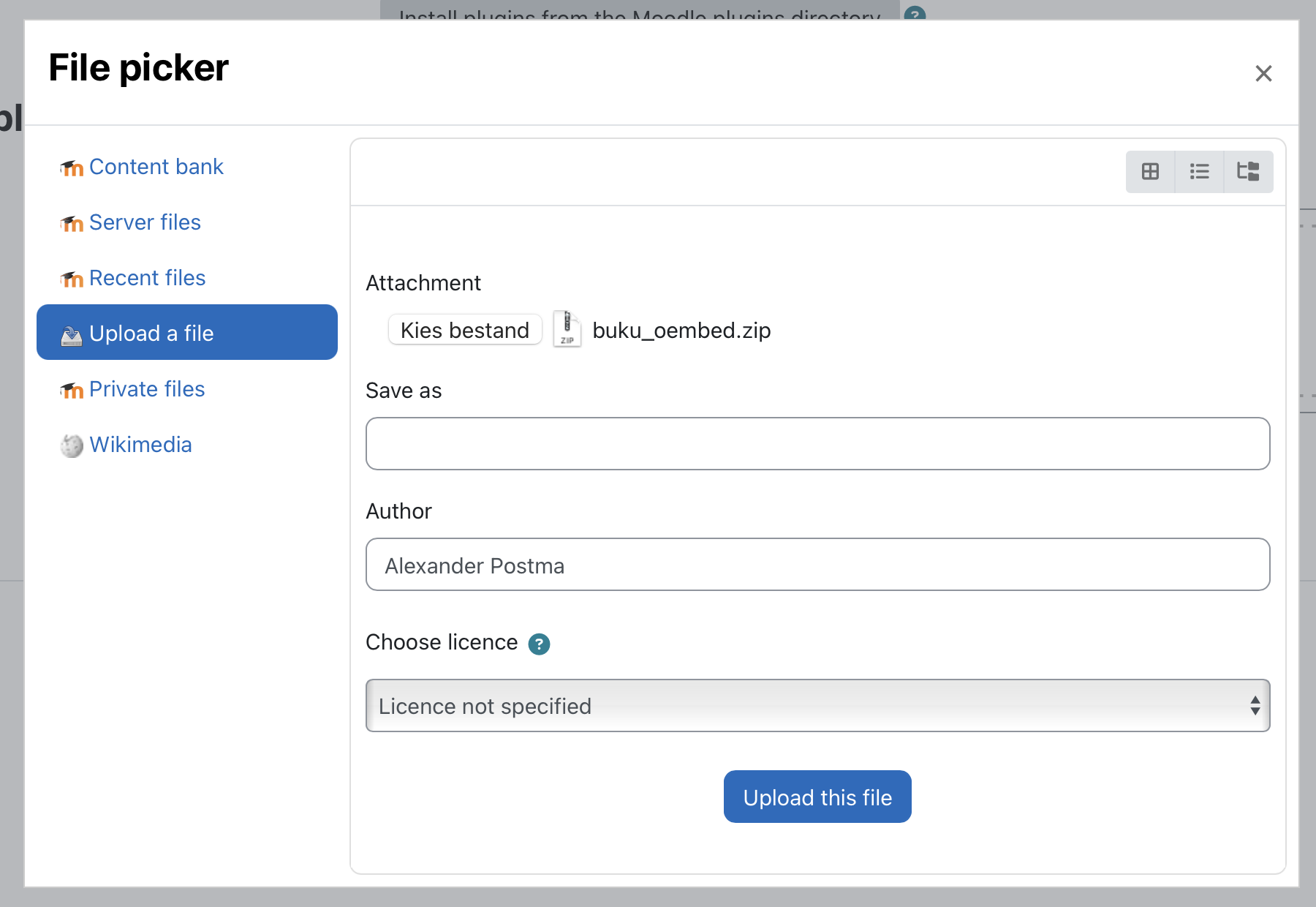
- Under Install plugin from ZIP file, click to browse for the downloaded BUKU plugin ZIP file on your computer.
- Select the plugin ZIP file in the ZIP package field.
- Click Install plugin from the ZIP file.
-
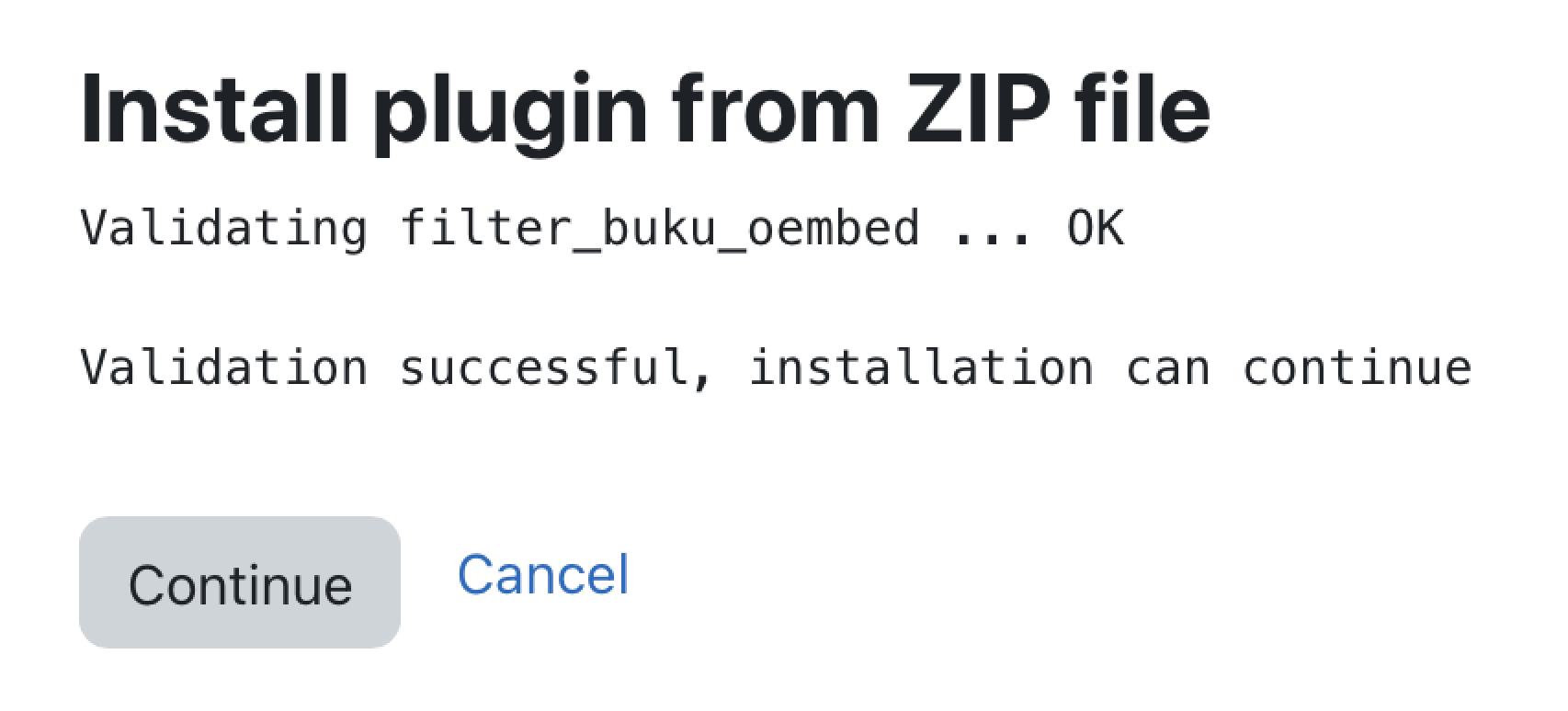
Step 4: Validating and installation
After selecting the ZIP file, Moodle will automatically validate the plugin.
- When prompted, click Continue to proceed.
- On the following screen, select Upgrade Moodle database now to complete the installation.